Fan Season Prep: Deep Clean in 45 Minutes
One pillowcase, a screwdriver, and your vacuum — and this summer's first fan startup won't coat your furniture in winter dust.
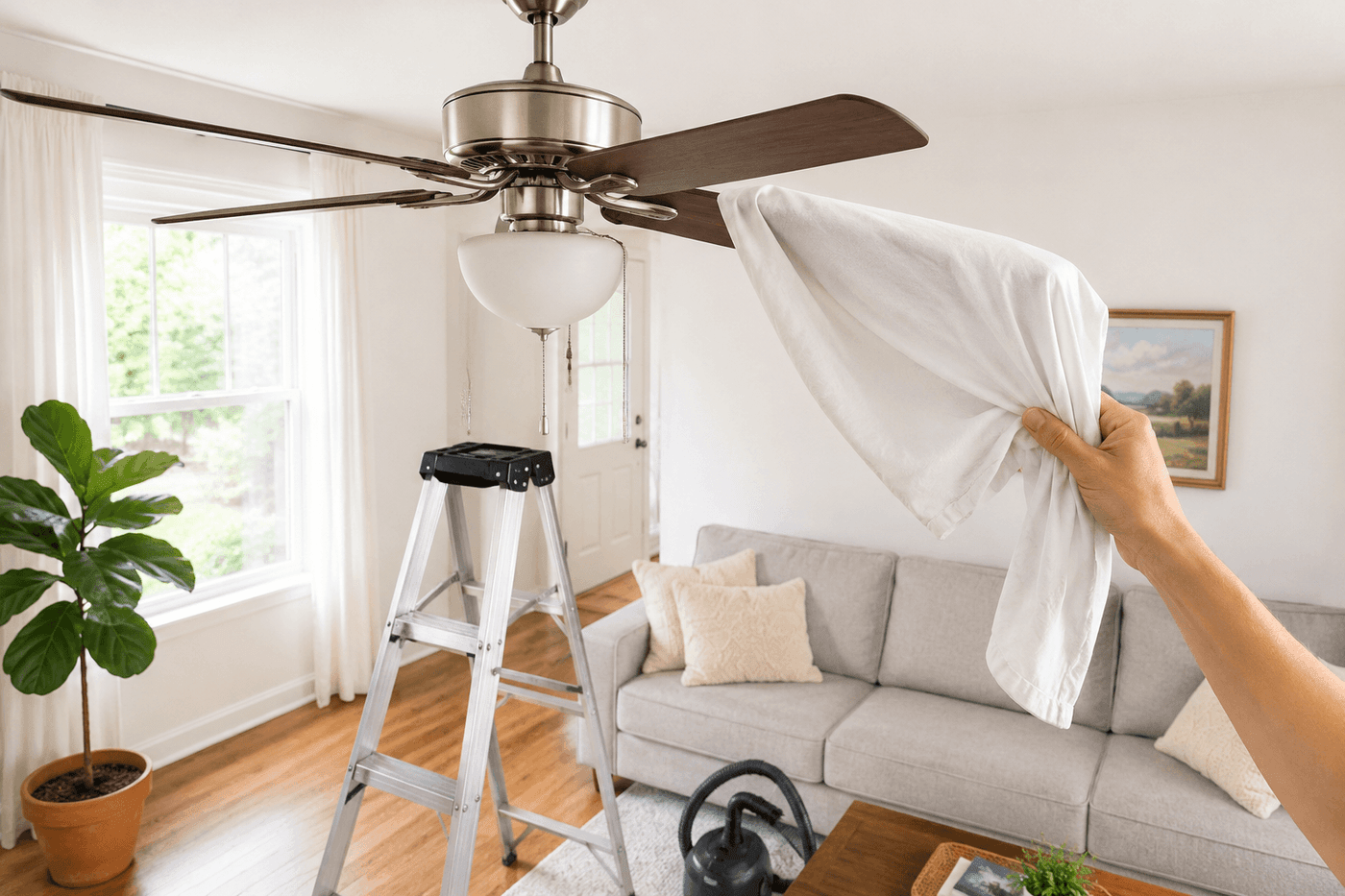
Turning on a ceiling fan for the first time each summer without cleaning it first is essentially choosing to redistribute an entire winter's worth of accumulated dust directly onto your furniture, your floors, and everyone sitting in the room — and if you've done it even once, you know exactly how unpleasant that moment is. The fix costs nothing and takes 45 minutes total for every fan in your house, using only a pillowcase, a microfiber cloth, a screwdriver, and a vacuum you already own. The pillowcase method alone is worth knowing: slide it over each blade and wipe back toward yourself so every bit of dust goes inside the case instead of drifting down onto everything below — the difference in mess between this and wiping with a cloth is not subtle. While you're up on the stepladder you'll also vacuum the motor housing, tighten the blade bracket screws that cause most fan wobbling, and flip the direction switch to counterclockwise for proper summer cooling. Every fan in your house runs quieter and moves more air after this, and the first warm day of summer finally starts the way it's supposed to.
What You'll Need
- Old pillowcase — one per fan session; a standard cotton pillowcase fits most fan blades perfectly and contains dust completely during wiping
- Microfiber cloth — for wiping down the motor housing, light kit, and blade brackets after vacuuming
- Vacuum with brush attachment — for cleaning motor housing vents where dust restricts airflow and causes overheating
- Screwdriver — flathead or Phillips depending on your fan's blade bracket screws; loose brackets are the cause of most fan wobbling
- Stepladder — tall enough to reach blades comfortably without overreaching; stability matters more than height here
- All-purpose cleaner — optional, for any greasy buildup on kitchen or dining room fan blades that dry dusting won't fully remove
- Lightbulb — optional; while the light kit is accessible and the globe is off, replacing a dim or flickering bulb takes ten seconds
How to Do It
- Turn off the fan at the wall switch and wait for blades to stop completely before climbing — not the pull chain, the wall switch, which cuts power fully. A fan that's merely slowing down when you reach for a blade can accelerate unexpectedly, and this is a fall risk that takes one extra second to eliminate entirely.
- Vacuum the motor housing first using the brush attachment, working the nozzle across every vent opening in the housing where dust accumulates and restricts the airflow the motor needs to stay cool. Dust-clogged motor vents are the leading cause of ceiling fan inefficiency and shortened motor life — this step alone makes a measurable difference in how quietly the fan runs.
- Slide the pillowcase over the first blade so the blade is fully inside, then close your hand around the pillowcase and wipe firmly back toward yourself so the dust is swept off the blade and contained entirely inside the case rather than falling onto the room below. Work top surface first, then flip and repeat on the underside of the same blade before moving to the next.
- Repeat the pillowcase wipe on every blade, shaking accumulated dust deeper into the case between blades so you're always wiping with a clean section of fabric. For kitchen or dining fans with greasy dust buildup rather than dry dust, follow the pillowcase wipe with a microfiber cloth lightly dampened with all-purpose cleaner — dry dust wipes clean, but grease-bonded dust needs a solvent to release fully.
- Check every blade bracket by pressing firmly up and down on the outer tip of each blade and watching the bracket — any visible movement at the bracket screws means they need tightening. A loose blade bracket is the cause of the vast majority of wobbling fans, and tightening takes thirty seconds per bracket with a screwdriver; most fans that wobble have never needed balancing, only tightening.
- Tighten all blade bracket screws with your screwdriver — both the screws that attach the bracket to the motor housing and the screws that attach the blade to the bracket. Snug is the target; overtightening cracks plastic brackets and strips screws in wood blades, so firm and secure rather than as tight as possible.
- Wipe the motor housing, blade brackets, and any light globe or fixture with a dry microfiber cloth to remove the fine dust that the vacuum loosened but didn't capture. Remove the light globe if accessible and clean inside where dust settles on the bulb and dims output — a dusty bulb produces noticeably less light than a clean one of the same wattage.
- Check the direction switch on the motor housing — a small slider or toggle that most fans have on the side of the housing — and confirm it's set to counterclockwise for summer. Counterclockwise rotation pushes air straight down and creates the wind-chill effect that makes a fan feel cooling; clockwise rotation pulls air up and recirculates warm ceiling air down the walls, which is the winter setting and does nothing useful in summer heat.
HVAC technicians and home performance specialists who assess whole-house airflow consistently flag one ceiling fan adjustment that homeowners almost universally overlook after cleaning: confirming that the fan speed matches the room size after seasonal startup. A fan running on high in a small bedroom creates uncomfortable turbulence rather than cooling airflow, while a fan running on low in a large open living space barely moves enough air to produce a perceptible wind-chill effect. The rule used in professional airflow assessment is that a fan's lowest speed setting should produce visible movement of lightweight curtains at eight to ten feet from the fan — if it doesn't, the fan is undersized or underpowered for the room and no amount of cleaning will make it feel adequate. Conversely, if medium speed feels uncomfortably drafty in a bedroom, running on low with the blade direction confirmed counterclockwise typically produces the ideal sleeping environment most people are trying to achieve with a high-speed setting that's actually working against them.