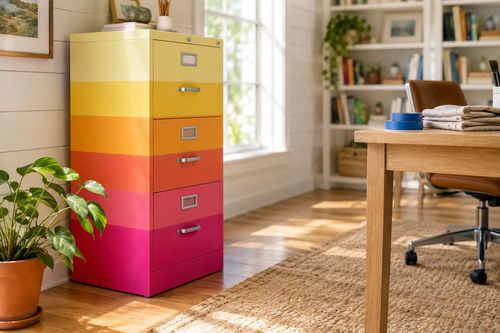
Paper Trail: Set Up a Document Filing System in 2 Hours
Three sorted bins, an accordion folder, and thirty seconds of daily mail sorting — the $30 Sunday setup that ends the annual tax-season paper excavation forever
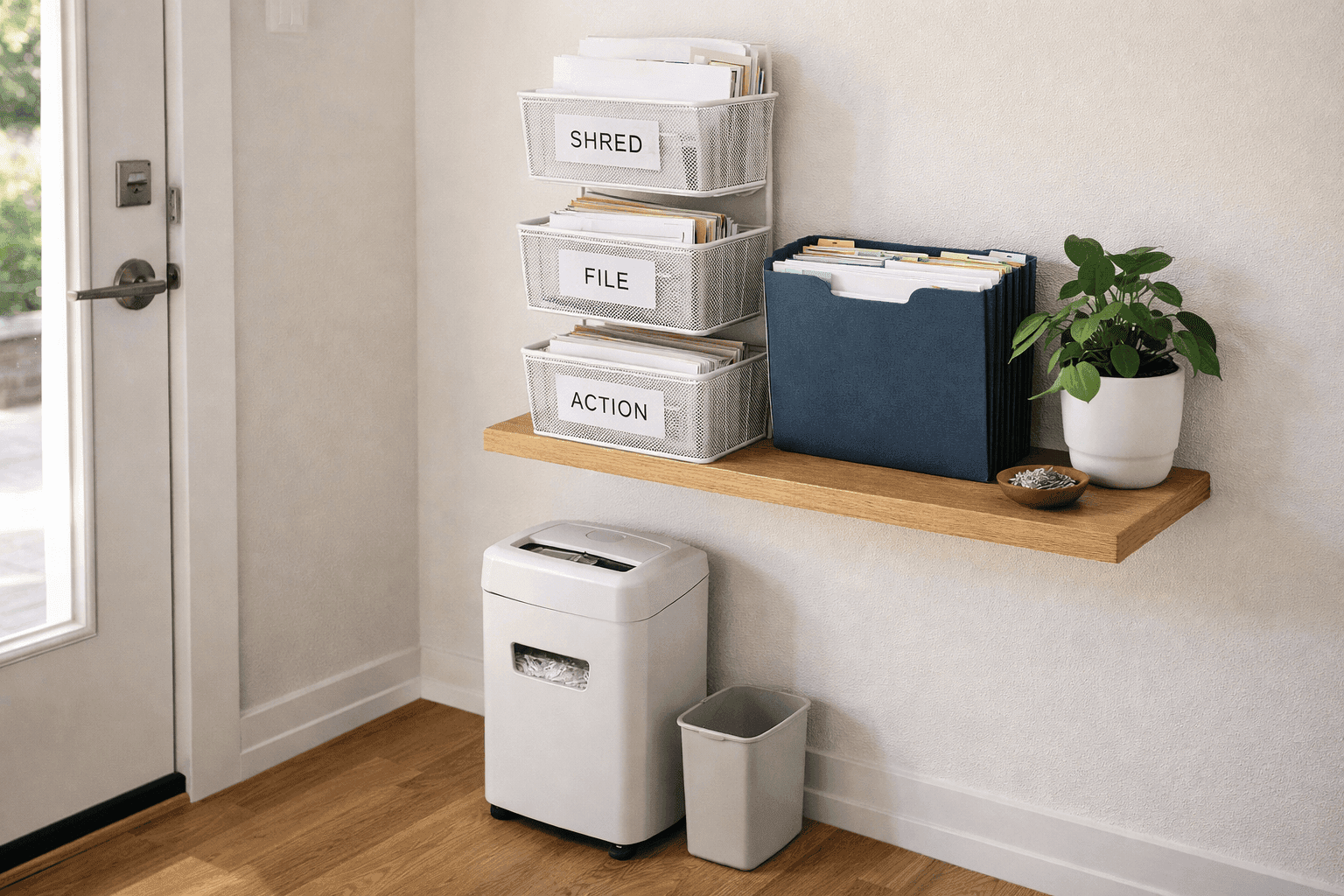
Every household has a paper problem, and most households manage it the same way — by not managing it at all until a deadline forces a frantic excavation through months of accumulated mail, receipts, insurance documents, and things-that-needed-action-in-November that are now significantly more urgent. The setup that ends this pattern permanently costs about $30 in supplies, takes two hours to establish on a Sunday afternoon, and works through the simplest possible mechanism: three clearly labeled bins positioned exactly where the mail comes in, so every piece of paper gets a destination within thirty seconds of entering the house rather than joining a pile that will be dealt with eventually. The system has three moving parts — a shred bin, a file bin, and an action bin — plus an accordion folder for the keepers and a cross-cut shredder for monthly processing. The investment of two hours now returns weeks of stress and searching across every tax season, insurance claim, and warranty lookup for as long as you use it. The only thing standing between you and this system working perfectly is setting it up before the next piece of mail arrives.
What You'll Need
- The Three-Bin Sorting System
- Three identical small bins, trays, or magazine holders in a size that fits your mail entry point — wire mesh, fabric, or plastic all work equally well functionally, but identical bins in the same color or material make the whole station look intentional rather than assembled from whatever was available — ~$4–$8 each at a container store, Target, or IKEA (~$12–$24 for the set)
- Bin One — SHRED: everything with account numbers, personal information, or financial details that shouldn't go in the recycling directly. This bin processes monthly
- Bin Two — FILE: documents to keep permanently or for the tax year — receipts, insurance documents, medical records, warranties. This bin empties into the accordion folder on a weekly or bi-weekly schedule
- Bin Three — ACTION: bills to pay, forms to complete, things that require a response or a decision within the next two weeks. This is the only bin that should make you slightly uncomfortable when it gets full, because full means something needs doing
- The Accordion Folder
- A 13-pocket accordion folder — one pocket per month plus one for annual documents — ~$8–$12 at any office supply store. The accordion format allows the folder to expand as documents accumulate through the year without the rigidity of a binder system that requires hole-punching every document
- Label every pocket before filing a single document — monthly labels January through December plus an annual tab for items like lease agreements, car titles, and insurance policies that don't belong to a specific month
- A second accordion folder or a small fireproof document box for permanent records that should never be discarded — birth certificates, Social Security cards, property deeds, wills, and passports. This lives separately from the annual filing system and ideally in a fireproof location
- The Shredder
- A cross-cut shredder — not a strip-cut shredder, which produces long strips that can theoretically be reassembled. Cross-cut shredders produce small rectangular pieces that are genuinely unrecoverable — ~$35–$50 for a quality home model that handles 8–10 sheets at once and runs for 5–8 minutes continuously before needing to cool down
- Look for a shredder with a pull-out waste bin rather than a top-loading bin that requires lifting the shredder head to empty — the pull-out design empties in seconds without dismantling anything
- Confirm the shredder handles credit cards and CD/DVDs in addition to paper — these are the secondary shredding needs that arise regularly and are frustrating if the shredder can't handle them
- Labeling & Positioning Supplies
- A label maker or adhesive label set and a marker for bin labels — clear, large-font labels that can be read at a glance from across the room are the detail that makes the system work when you're tired or distracted and just want to drop the mail and move on
- A small shelf, drawer unit, or dedicated surface positioned at the exact point where mail enters the house — the system works only if it intercepts paper at the point of entry rather than requiring a trip to a different room
- A recycling bin positioned immediately beside the sorting station — junk mail and non-personal paper goes directly from envelope to recycling without ever entering any of the three bins
How to Set It Up
- Deal with the existing backlog first before setting up any new system — spend 30–45 minutes sorting everything currently piled, stacked, or stuffed in drawers into the three categories the new system uses: shred, file, and action. Launching a new organizational system on top of an existing pile means the pile migrates into the new system and immediately overwhelms it. Starting with a cleared surface and a sorted backlog means the new system begins its life functioning as designed rather than immediately behind.
- Shred the backlog first — run everything from the shred pile through the cross-cut shredder before setting up the permanent station, which clears the most sensitive material and gives you a realistic sense of how quickly the shred bin will fill during normal monthly use. If the backlog is large enough to exceed the shredder's continuous run capacity, alternate shredding sessions with 10-minute cool-down breaks rather than pushing through and burning out the motor on the first day of ownership.
- Set up and label the accordion folder before filing a single document — write or print labels for all 13 pockets and attach them before anything goes in, because filing documents into an unlabeled folder and planning to label it later produces a folder that never gets labeled and gradually becomes unsearchable. File the backlog of keep documents into the appropriate monthly pockets, placing all documents from a given month behind the correct tab in reverse chronological order so the most recent document is always at the front of each pocket.
- Position the three bins at the mail entry point in a configuration that allows quick one-handed sorting — stacked vertically if wall space is limited, or arranged side by side if a horizontal surface is available. The physical arrangement should allow you to sort a handful of mail into the correct bins without setting anything down, opening anything, or making a decision more complex than shred, file, or act. Friction in the sorting process is what causes paper to pile up instead of being sorted — removing every possible friction point from the daily 30-second sort is the design goal.
- Position the shredder within reach of the shred bin — ideally in the same room rather than in a different location that requires carrying a full bin to process it. A shredder that lives in a closet in another room gets used far less frequently than one that sits beside or below the sorting station where emptying the shred bin requires nothing more than feeding the contents directly into the shredder without relocating anything. Convenience is the entire behavioral mechanism this system relies on.
- Schedule recurring calendar appointments for the two maintenance tasks that keep the system functioning — a 15-minute monthly shredding session and a 20-minute bi-weekly filing session where the file bin empties into the accordion folder. Adding these to a calendar as recurring appointments on the same day each month removes the decision about when to do them and prevents the bin from filling to the point where processing it feels like a project rather than a routine. The shredding appointment on the same day as garbage collection is a useful anchor — the shredded waste goes directly from the shredder bin into the trash that's already going out.
- Process the action bin on a weekly basis by sitting down with its contents and either completing the required action, scheduling a time to complete it, or reclassifying it to the file or shred bin if the action window has passed. An action bin that gets reviewed weekly never accumulates more than seven days of incoming items — which is manageable. One that goes unreviewed for three weeks contains a bill that's now past due, a form that missed its deadline, and a time-sensitive offer that expired, which is exactly the pattern the whole system is designed to prevent.
- Practice the daily 30-second sort consistently for the first two weeks until it becomes fully automatic — pick up the mail, stand at the sorting station, and move each item to its bin or the recycling without carrying anything away from the station. Junk mail straight to recycling without opening. Anything with account numbers to shred. Anything to keep to file. Anything requiring action to the action bin. The entire sort for a typical day's mail takes under a minute once the habit is established, and that one minute of daily maintenance is what replaces the three-week excavation that used to precede every tax deadline.
Professional organizers who set up document management systems for households and small businesses consistently make one recommendation that clients initially resist and invariably thank them for later: go paperless on every account that offers it before the new filing system goes live. Bank statements, utility bills, credit card statements, insurance documents, and tax forms are all available digitally from virtually every provider, and opting into paperless delivery for all of them reduces the daily incoming paper volume by 60–80 percent in most households — which means the sorting station stays lighter, the shred bin fills more slowly, and the accordion folder needs significantly fewer pockets than originally planned. The documents worth keeping in physical form are narrower than most people assume: anything with an original signature, anything that might be needed as physical proof in a legal or insurance context, and anything a government agency specifically requires in original paper form. Everything else is more safely and accessibly stored as a scanned PDF in a cloud service than as a physical document in a folder that could be lost in a fire, flood, or move. A ten-minute scan session with a phone app like Adobe Scan or Microsoft Lens converts any paper document worth keeping into a searchable digital file that takes up no physical space and can be retrieved from anywhere — and that shift from physical to digital filing is the upgrade that makes the whole paper management problem essentially permanent.