Digital Peace of Mind: Organize Files Before Disaster Strikes
Create a logical system and automatic backup that protects your irreplaceable digital life
The moment your computer crashes, your hard drive fails, or ransomware encrypts everything you own is absolutely the wrong time to realize you have no backup system in place—yet this is exactly the crisis that most people face because digital organization and backup feels like homework we can perpetually postpone until "later." Here's the uncomfortable truth: your photos, financial documents, work files, and irreplaceable personal memories exist as fragile magnetic patterns on spinning metal disks that can fail without warning, and statistically speaking, every hard drive will eventually die. I learned this lesson the devastating way years ago when a laptop theft cost me years of photos and documents that simply vanished forever because I kept thinking "I should really set up a backup" without actually doing it. The good news is that creating a logical file organization system and implementing automatic cloud backup takes maybe 2-3 hours one time, then runs invisibly in the background protecting everything you create going forward—it's genuinely a "set it and forget it" solution that provides profound peace of mind. This isn't about becoming some obsessive digital minimalist or spending money on complicated systems; it's about implementing simple, free or low-cost strategies that ensure your digital life survives hardware failure, theft, fire, or any other disaster that you hope never happens but absolutely could.
File Organization System
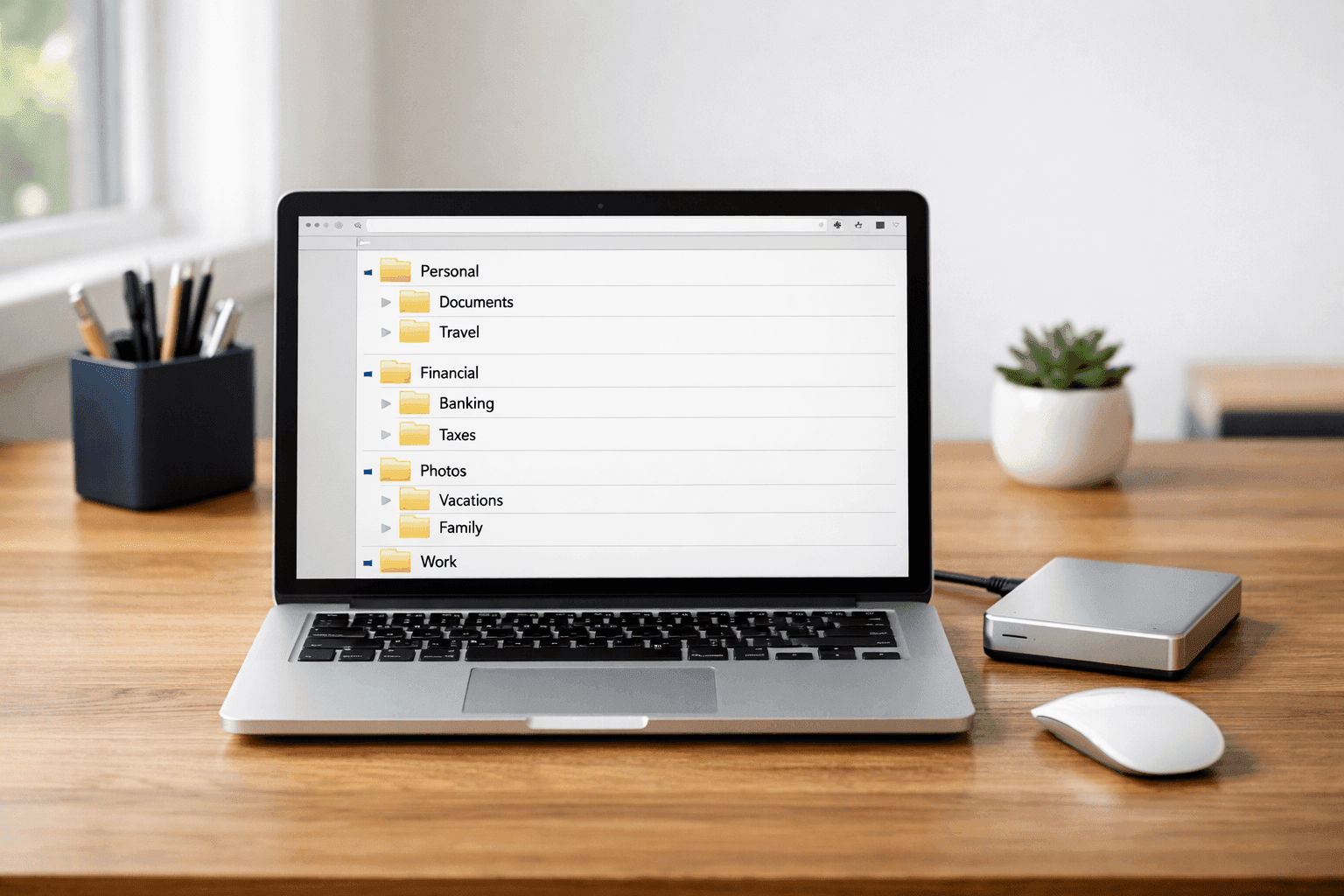
- Main Category Folders: Create 5-8 top-level folders like "Personal," "Financial," "Work," "Photos," "Creative Projects," "Medical," "Household"—keep it simple and intuitive
- Consistent Subfolder Structure: Within each main folder, use consistent organization like folders by year, then month, or by project name, then date—consistency is more important than perfection
- Descriptive File Names: Use clear naming like "2024-Tax-Return.pdf" or "Kitchen-Remodel-Contract-Signed.pdf" instead of "Document1.pdf"—your future self will thank you
- Archive Old Files: Create "Archive" subfolders within categories for files older than 2-3 years that you rarely need but want to keep for reference
- Desktop and Downloads: Treat these as temporary holding areas only, not permanent storage—schedule weekly 10-minute sessions to file or delete everything accumulated there
- Delete Ruthlessly: If you haven't opened something in 2 years and can't imagine needing it, delete it—digital hoarding creates the same overwhelm as physical clutter
Backup Strategy (3-2-1 Rule)
- Three Total Copies: Original on your computer, plus two backup copies stored in different locations and formats for redundancy against multiple failure types
- Two Different Media Types: Cloud backup (Google Drive, Dropbox, iCloud, OneDrive) plus physical external hard drive—protects against both internet outages and physical disasters
- One Off-Site Copy: Cloud storage automatically provides off-site protection, or keep external drive at work/friend's house—protects against house fire, flood, theft affecting everything in one location
- Automatic Cloud Backup: Enable automatic sync for critical folders so backups happen continuously without thinking—set it once and trust the system (free options: Google Drive 15GB, OneDrive 5GB)
- Monthly Physical Backup: Set phone reminder to connect external hard drive and run backup software monthly—takes 30 minutes while you do other tasks (drives cost $50-80 for 1-2TB)
- Test Recovery Annually: Once a year, actually restore a random file from each backup to verify they're working—backups are useless if they don't actually restore when needed
Here's the critical strategy that IT professionals use but rarely share with regular people: implement a tiered backup system where your most irreplaceable files get extra protection beyond your standard backup. Create a special "Critical-Never-Lose" folder containing things like birth certificates, passports, tax returns, legal documents, wedding photos, and videos of deceased loved ones—things that literally cannot be recreated if lost. Set this specific folder to sync with multiple cloud services simultaneously (Google Drive AND Dropbox, for example), back it up to two different external drives kept in different locations, and even email yourself copies of the most critical documents as attachments that live permanently in your email account. Yes, this seems excessive, but professional data recovery specialists will tell you that the files people are willing to pay thousands to recover are always the irreplaceable personal documents and photos, never the work presentations or downloaded music. This tiered approach means you're not treating your downloaded Netflix shows with the same backup intensity as your child's baby photos, which is both more efficient and more aligned with actual importance. The peace of mind from knowing your truly irreplaceable digital items exist in five different locations is absolutely worth the extra 30 minutes of initial setup.